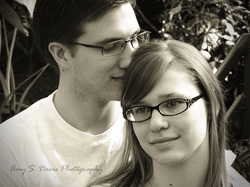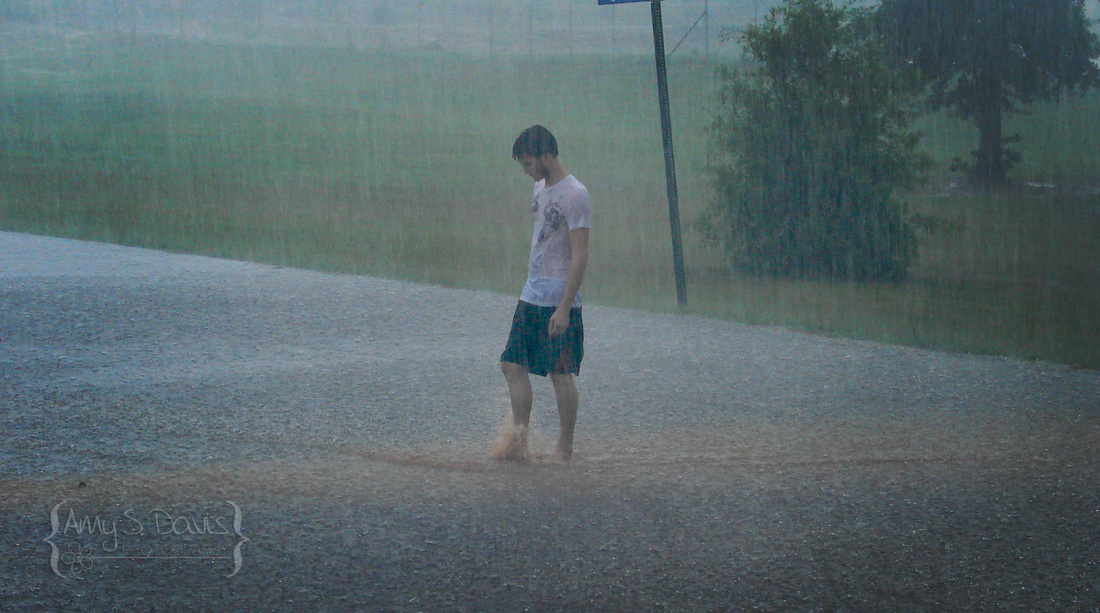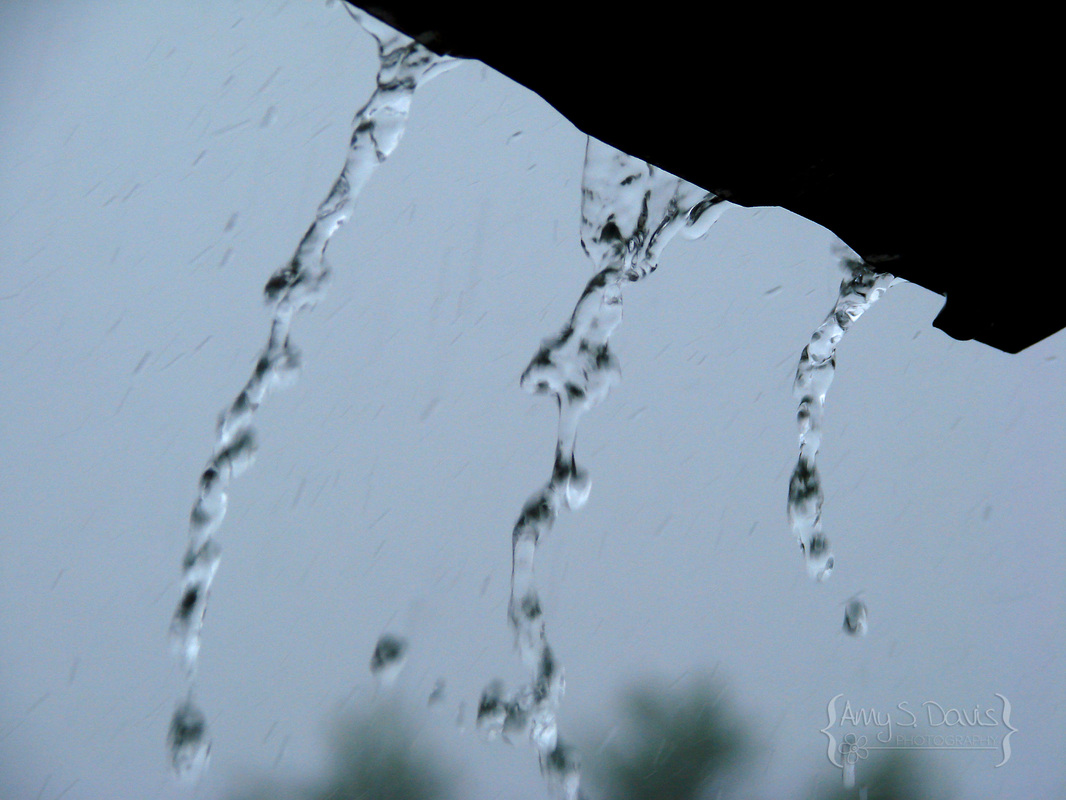
Amy S. Davis Photography
Contact me at:
[email protected]

Like my facebook page:
www.fb.com/AmyS.DavisPhotography
  • Home
  • About Amy
  • Blog
  • Portraits
    • Children
    • School Portraits
    • Romance/Couples
    • Bridals
    • Families
  • Events
    • Travel
    • Sports
    • Holidays
  • Front Porch Photography
    • Seasons
    • All that Grows
    • Furry Friends
  • Contracted Work
  • Products
  • FAQs
    • Prices
  • Contact Me

The "After-Shoot" Process, aka: Post-processing

8/19/2013

0 Comments

 
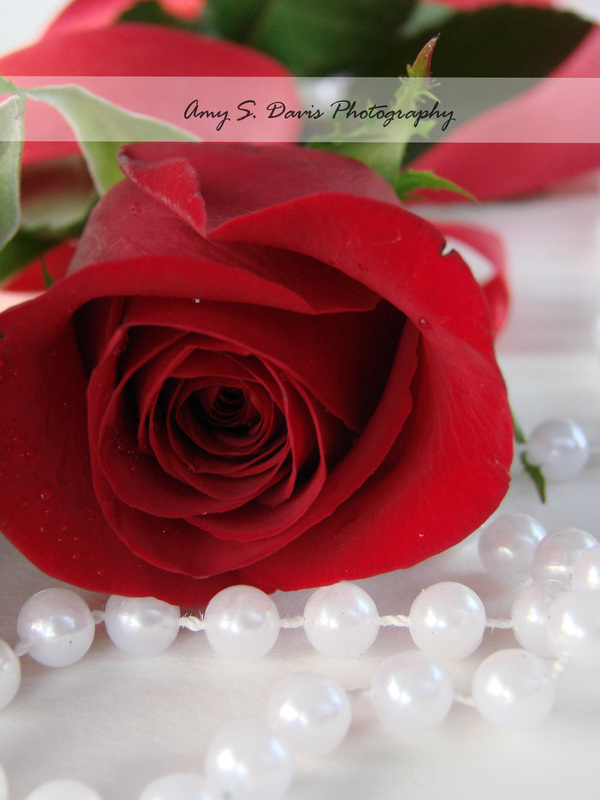
I've slowly become aware of how little people know about what goes on after a photoshoot is complete. Why I haven't blogged about this before now is maybe due to the fact that I was not aware that many clients and other people who do not take photos on a professional scale realize just how much goes into editing images after they have been taken. Now of course, this does not apply to every client's photos or every style of image. There have been many images I have taken that are just exactly how I want them coming straight off of the camera. We call these images SOOC. I have had many that I simply slap a watermark on and upload to my website or facebook page. The image below had no post-processing. This is what the image looked like exactly as I took it, the only addition was my watermark. 
Picture
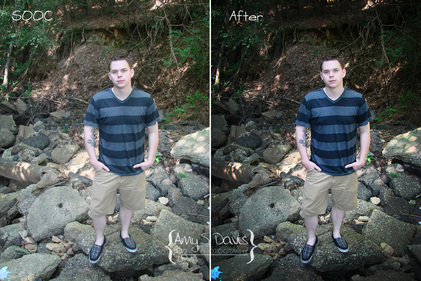
However, these are typically not pictures of people, and if it is, they are rare. Most times, one image takes as long as half an hour to an hour just to get the quality and look of what I want in the final image. 
Picture
You have to understand though, most photographers do not like sharing their SOOC images for a multitude of reasons: their images are low to bad quality and they rely on an editing software maybe more than they should, the product they offer is one that is more prone to editing (which is okay if that is what the client wants or likes), they do not want to give away their editing techniques and secrets, or to dissuade unprofessionals from trying to copy or imitate their work. I'm sure there are other reasons, but that's really not the point of my blog today. 

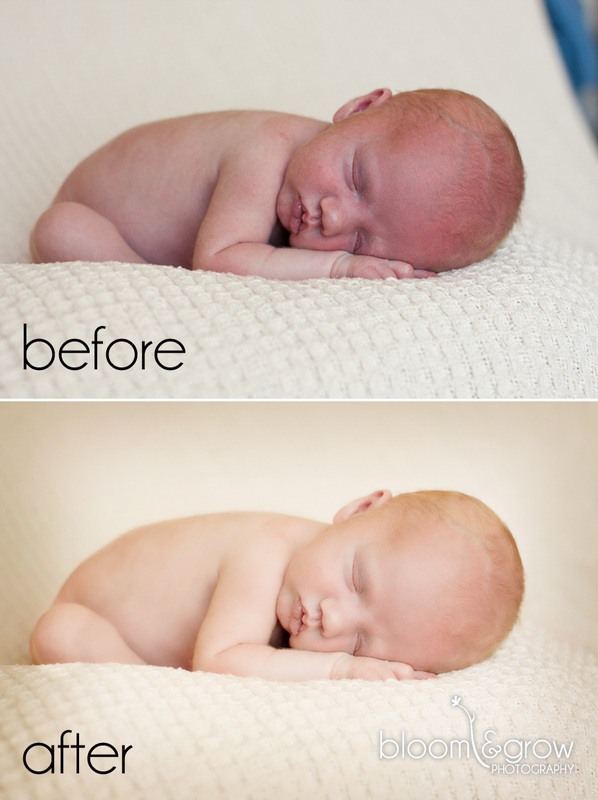
The image below is one that I found online (NOTE: this image is not mine. I do not own the copyrights to it). The image can be found at: http://www.bloomandgrowphotography.com/2011/08/bloom-grow-actions.html
This image is of a newborn, which fyi- takes a TON of editing just because a newborn's skin is typically so rough, pink, or transparent. You'll notice the lighting has changed, as well as the baby's skin. Also, it seems the photographer has edited out part of the top right image, which can also be time-consuming if done properly. 
Picture
To illustrate this better (and since this IS a photography website and most of you like to see photos) I have recreated some of the steps I go through to show you just how I get to this process. I'd upload a video, but alas... my new computer does not have the software yet required to record all my steps. So screenshots will have to suffice. For my purpose, I'm going to go through and edit one of the images that I feel needs a much bigger change. The end result will be more dramatic so that you can tell what I am doing; however, this does not necessarily mean that it takes more or less time. It just means I am exaggerating my steps a bit more so that they are more noticeable. 
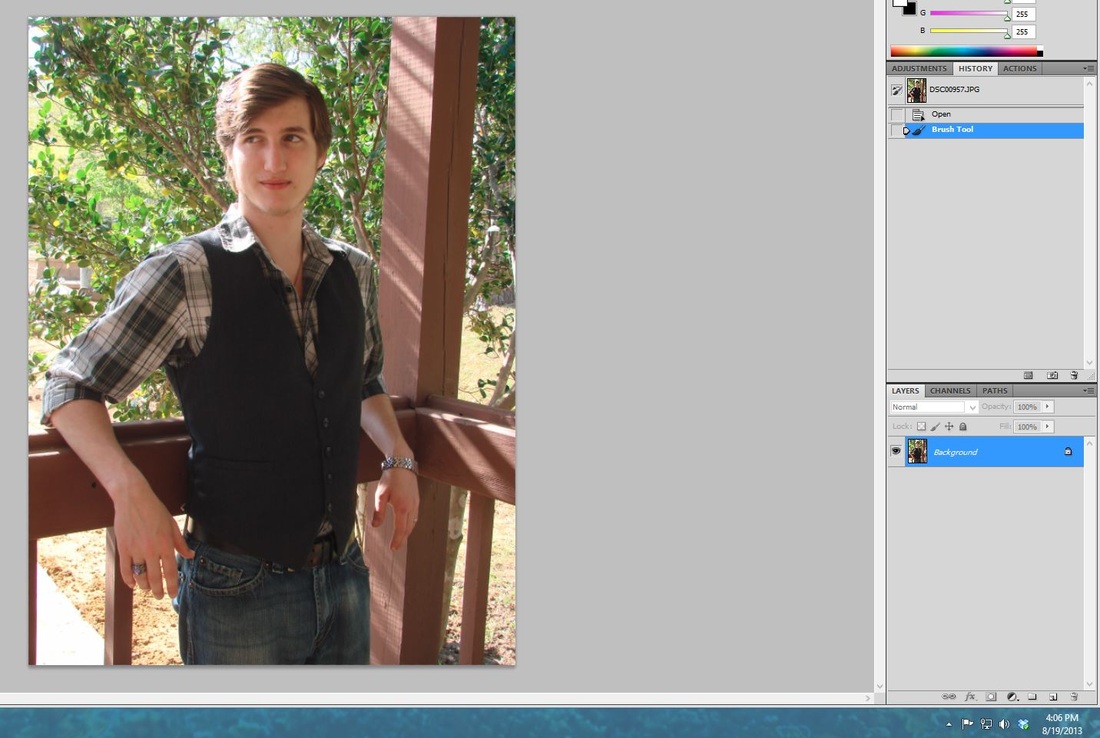
My first step is to decide how I want the image to look... black and white or a more blueish hue? I don't have to decide yet, just have a goal to work towards. I want something that will pull the eye to the model, particularly his eyes (or maybe his senior ring since this was a senior portrait). I have cropped the image so that you can see the timestamp on each. That gives you a general idea of how long it takes me between each step. You can click on each image to enlarge it. 
Picture
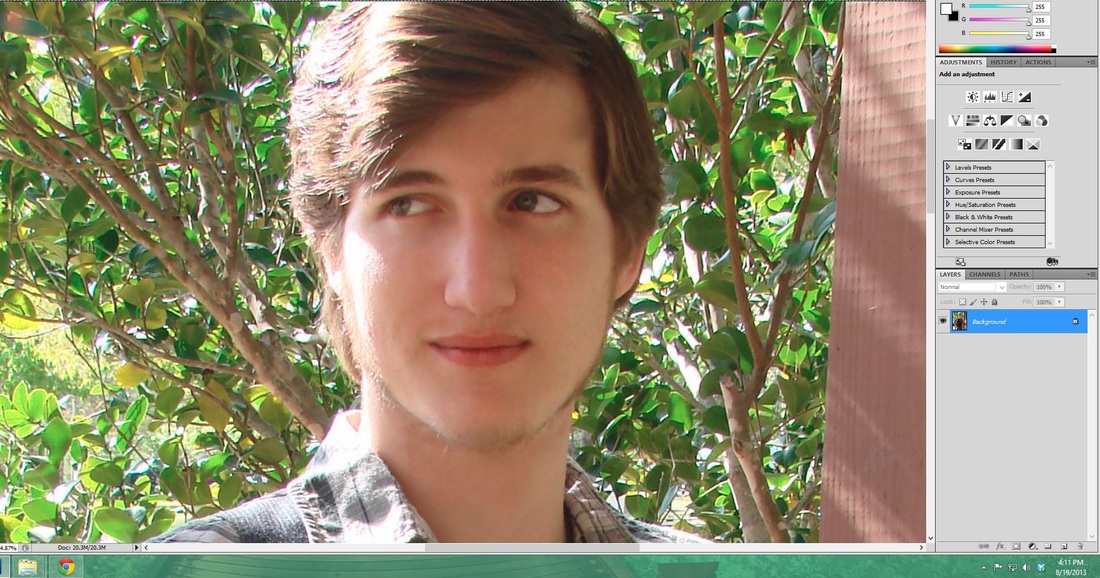
I noticed that he had a lot of acne (as teenagers tend to have) and so I went through and blended them into his natural skin tone. This is the kind of thing I mean when I say post-processing. I typically don't cover up moles or freckles unless specifically asked to simply because they make a person unique. I also happened to notice that he had a bad sore on his left hand. I went ahead and edited that as well. 
Picture
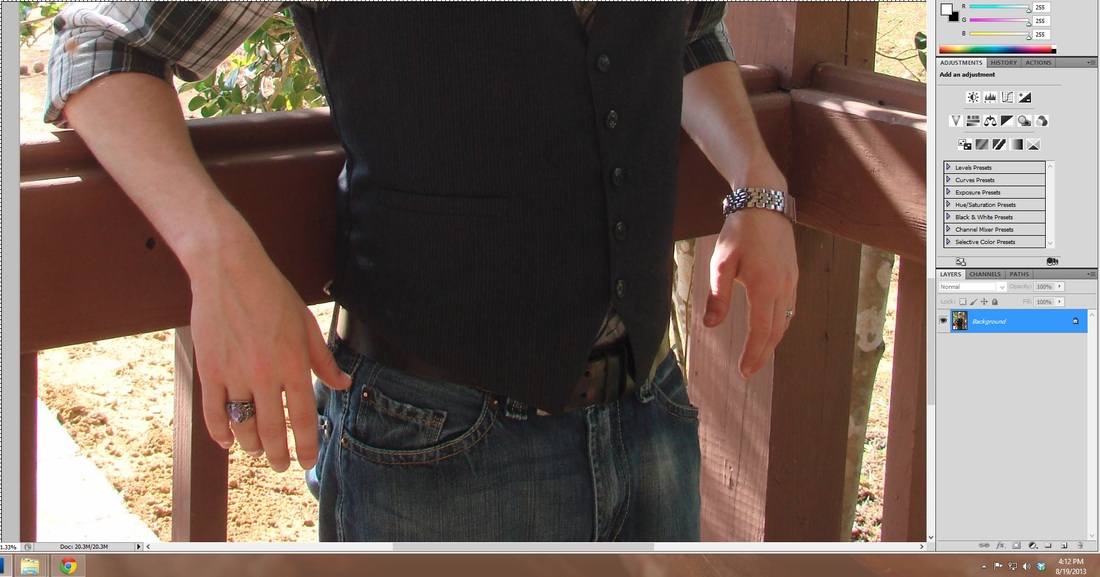
I went ahead and checked the rest of his skin for any noticeable blemishes. I have to stay zoomed in so that I don't miss it, so this takes time. 
Picture
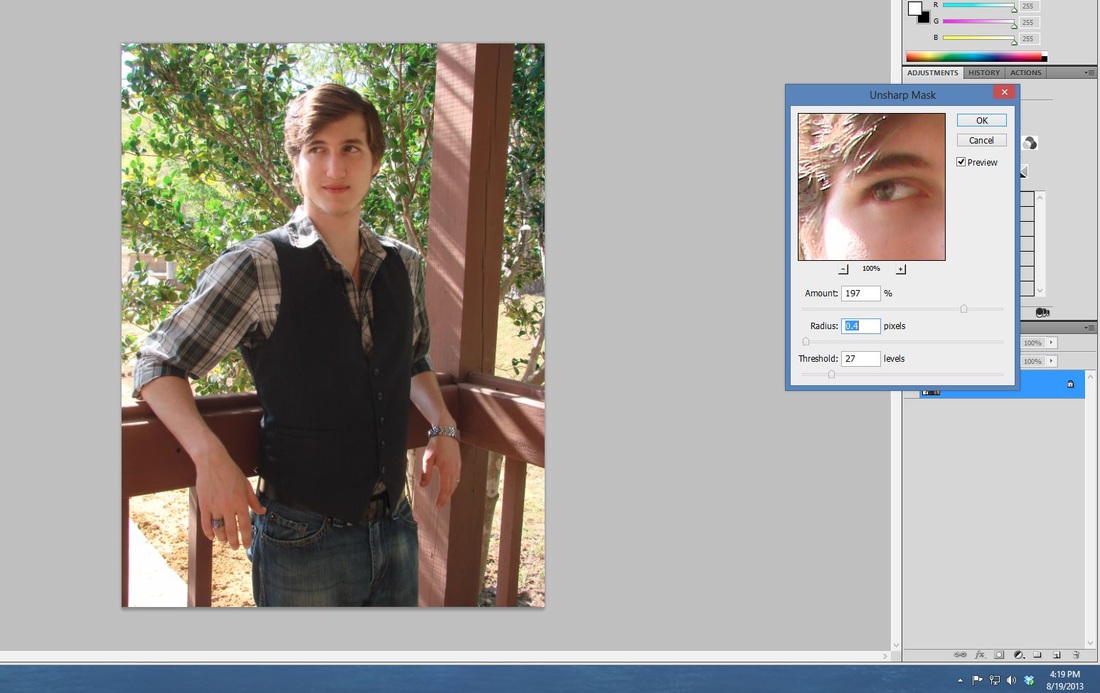
After that I wanted to sharpen the image because it looked a little fuzzy on my screen. 
Picture
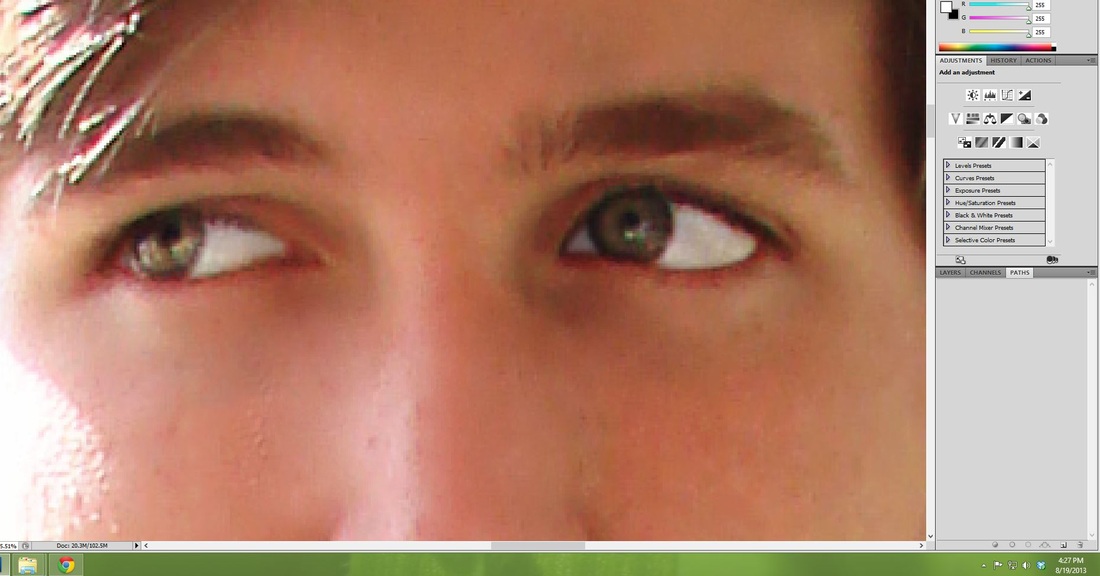
My next step is to go through and touch up his eyes. This is before I adjusted the opacity so that you can really tell what I'm doing. The whites of his eyes will not be quite as red as they were and you will be able to see the color of his eyes a little better. Many times I don't have to do this step, but for this image, I felt it needed it. 
Picture
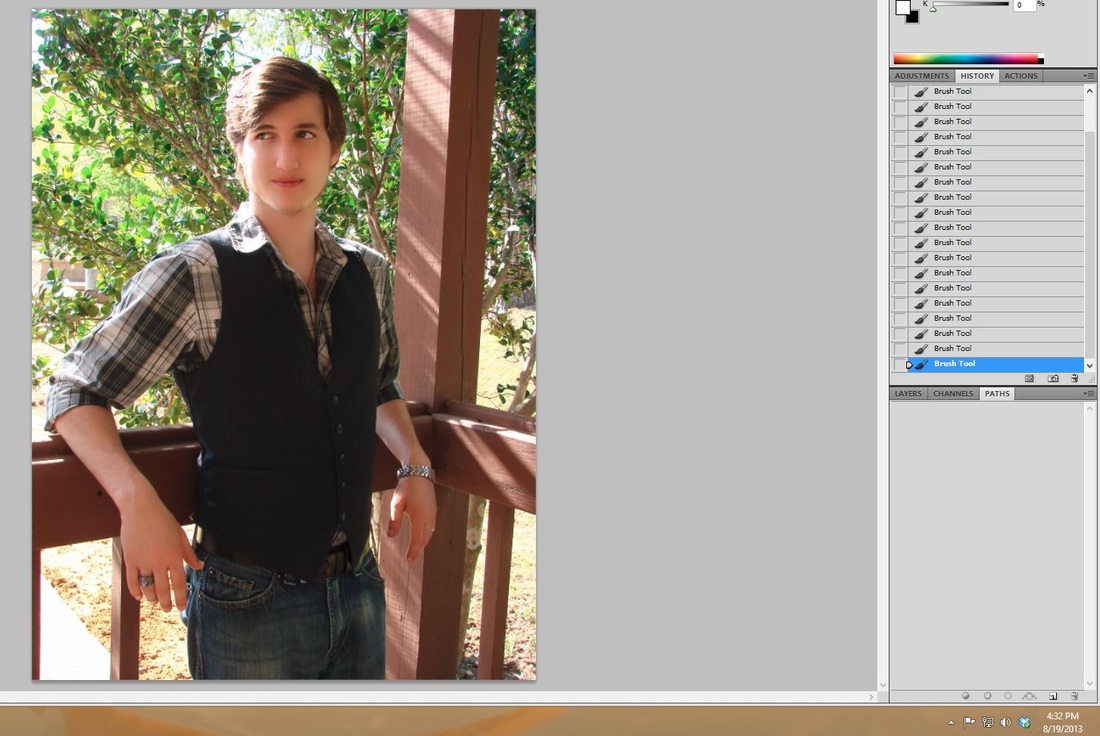
Next I need to even out his skin color a little better, getting rid of the dark circles below his eyes and any other blemishes I may have missed. Yes, I know he looks plastic, this is after-all, before I have adjusted the opacity. 
Picture
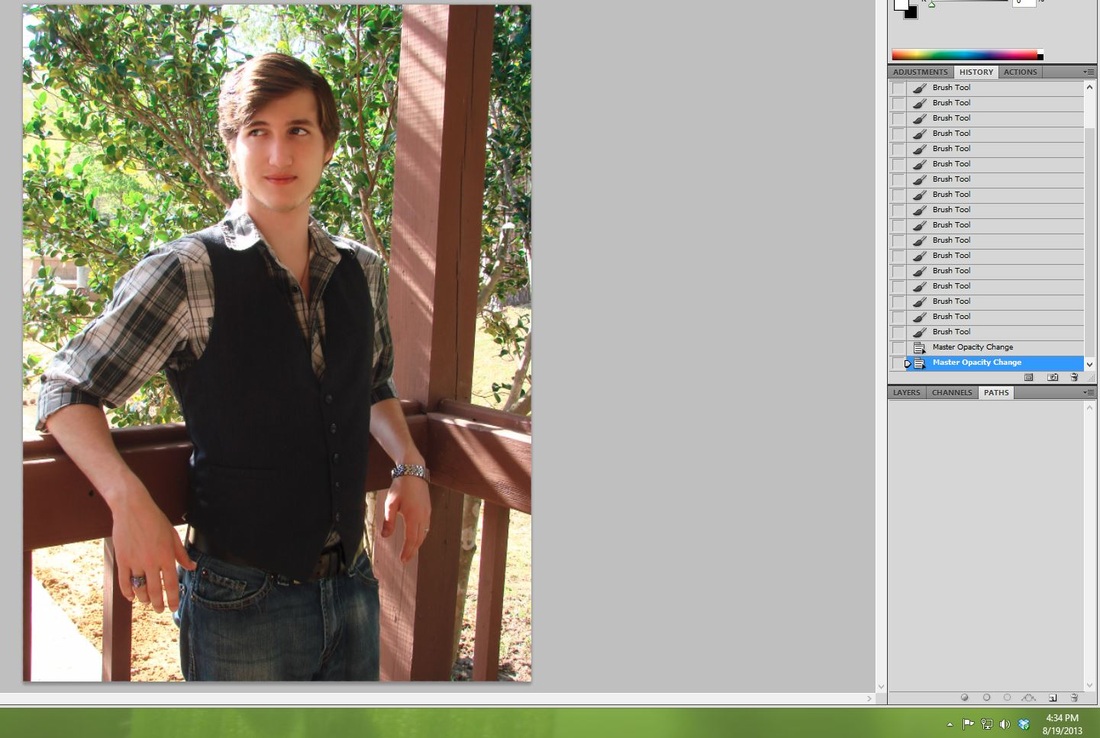
As you can see, he now has his skin looking a little more realistic and a little less plastic. 
Picture
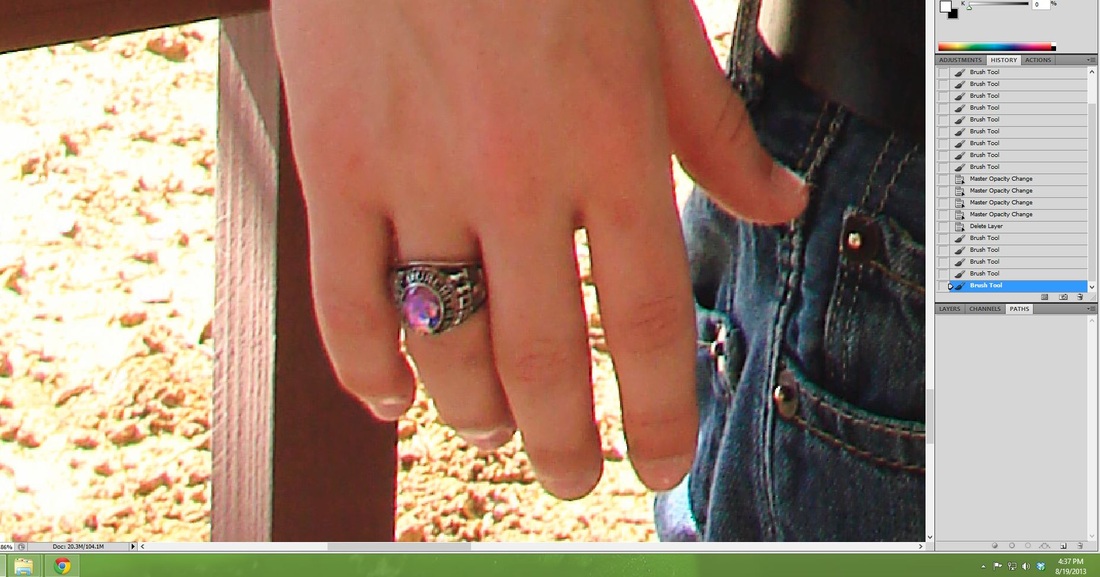
Remember I mentioned his senior ring? I want to make that pop a little more and be noticeable to the eye as well, so I'm going to pull out the color just a little. It seems intense here, but when I scroll back out, it won't be as extreme. 
Picture
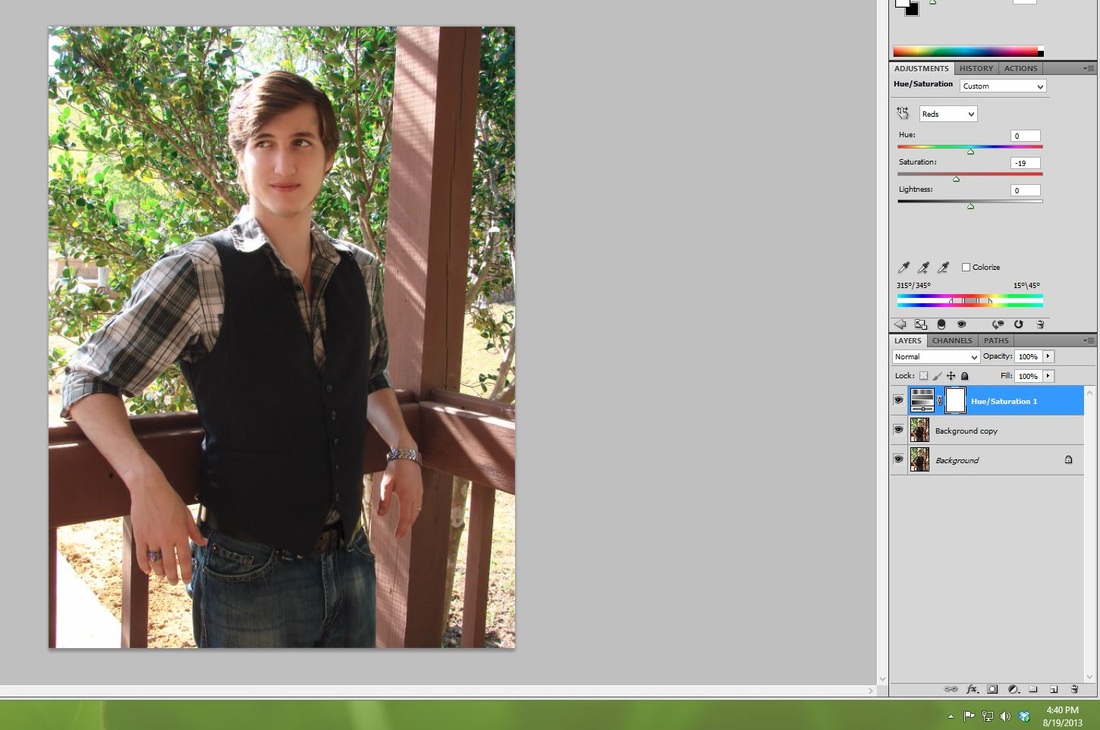
I also want to pull the red out of this image some. It's not the color tone that I like for this overall look. 
Picture
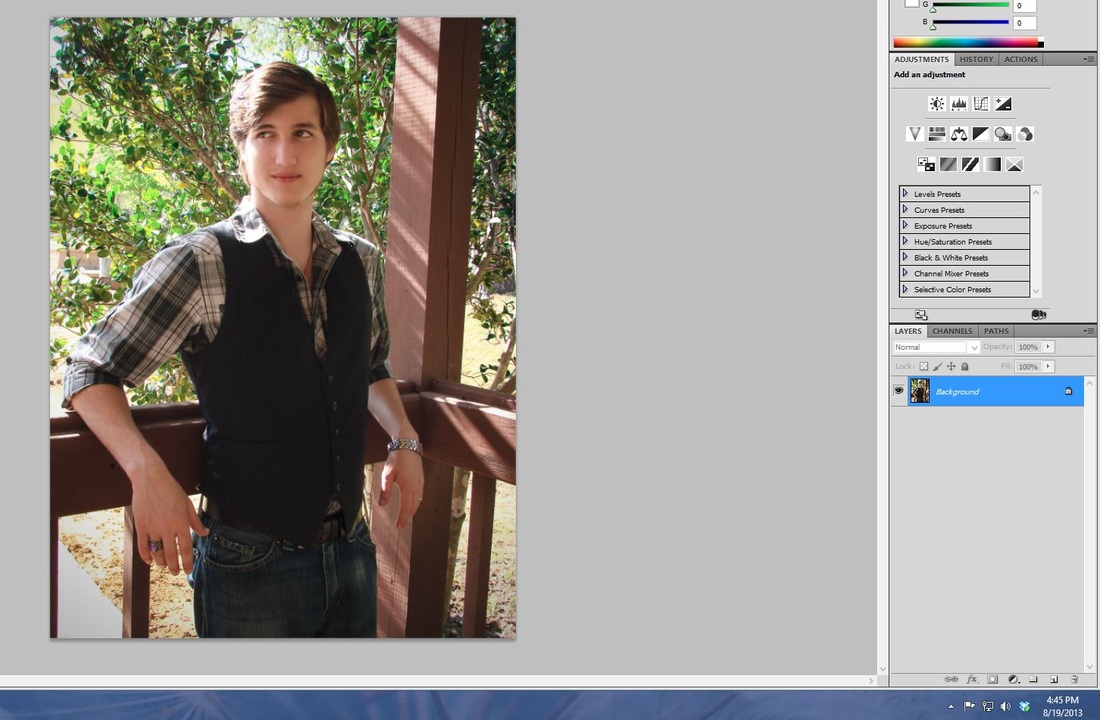
I wanted to play with the shadows some as well and really pull the focus towards the center of the image. I haven't exaggerated it here just because it looks so dark and with low quality images, it's hard to depict. 
Picture
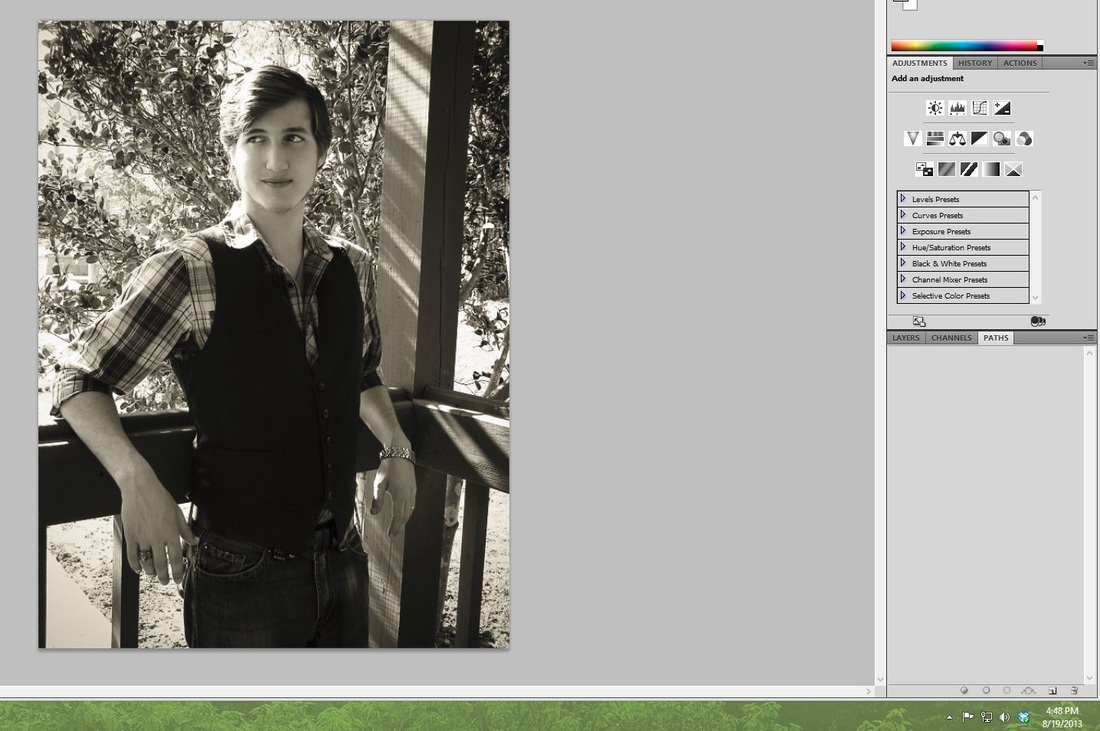
Now for the experimental part. Some images I can look at instantly and tell you what would look best. Others, I have to basically "try-on" different looks to see which I like best. I went with a sepia look first. However, with all the light and shadow behind him, I'm not sure if this is the best way to go with this photo. Let's try something different. 
Picture
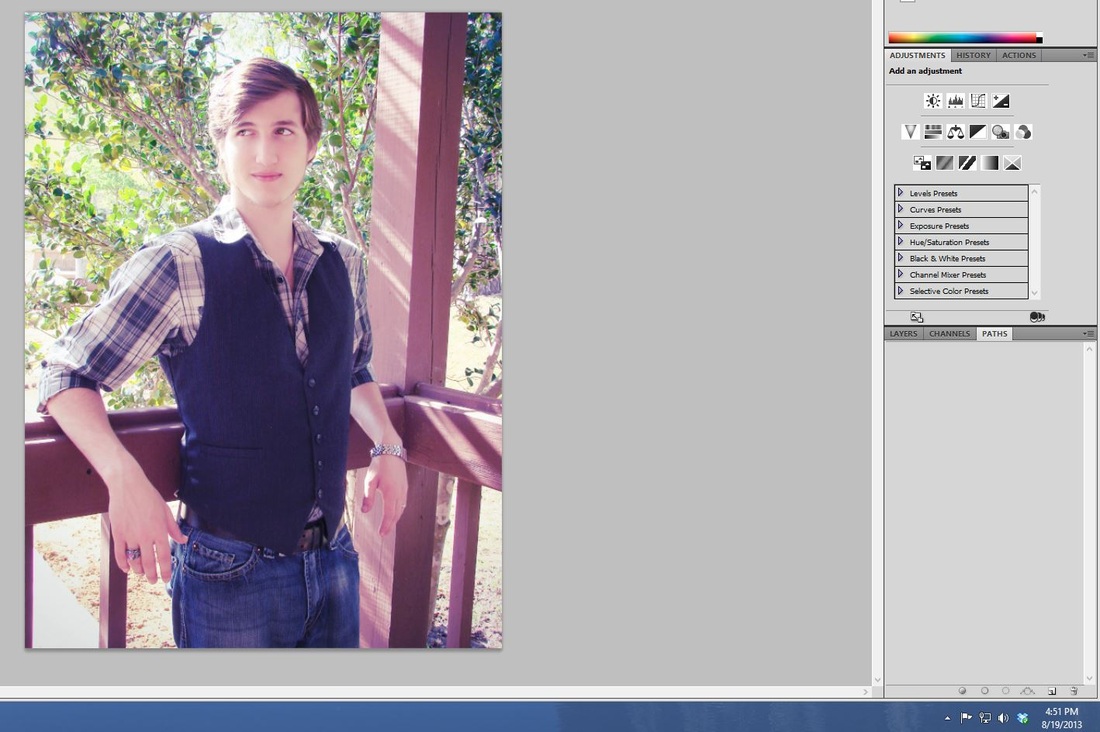
This may be the way to go, but if it is then I'm going to need to dial down some of the hues in this photo. 
Picture
Yes, I like this look much better. However, there is still the problem of focusing the image in some more. After editing the hue, I realize I still need to add a little more shadow around the edges to help pull the eye towards the middle again. I don't want to overdo it though, or it will look too edited. I like my photos to have a much more natural look and not have black frames. 
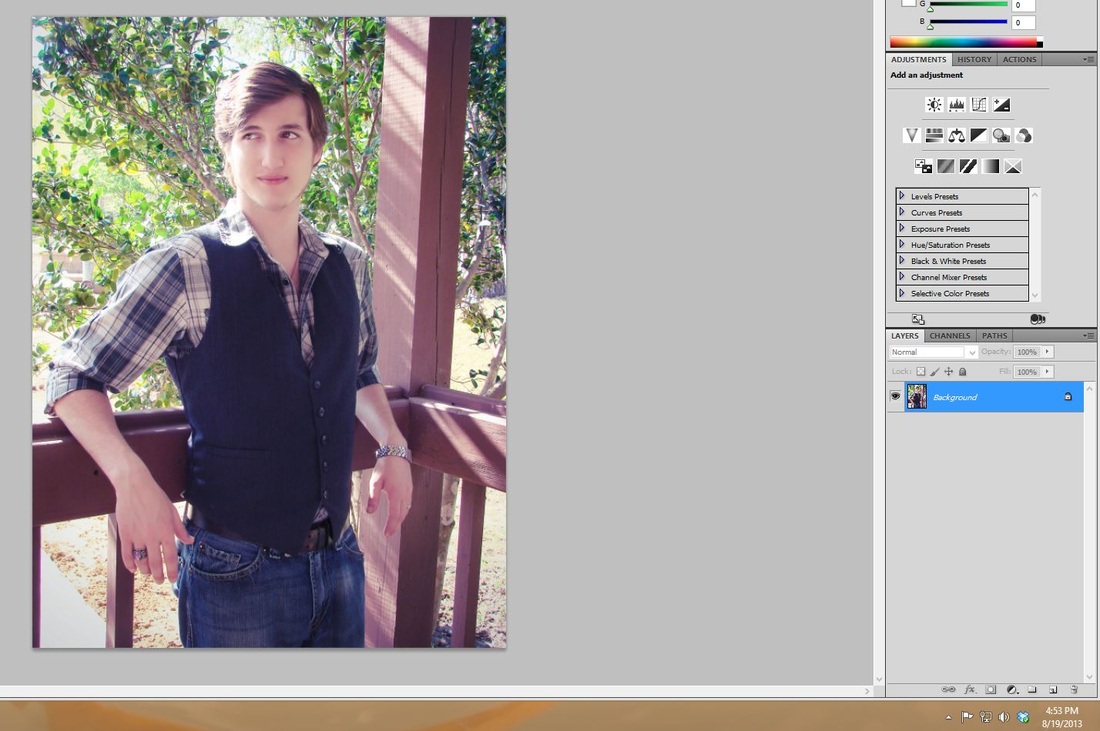
Picture
And then the final step, the watermark. 
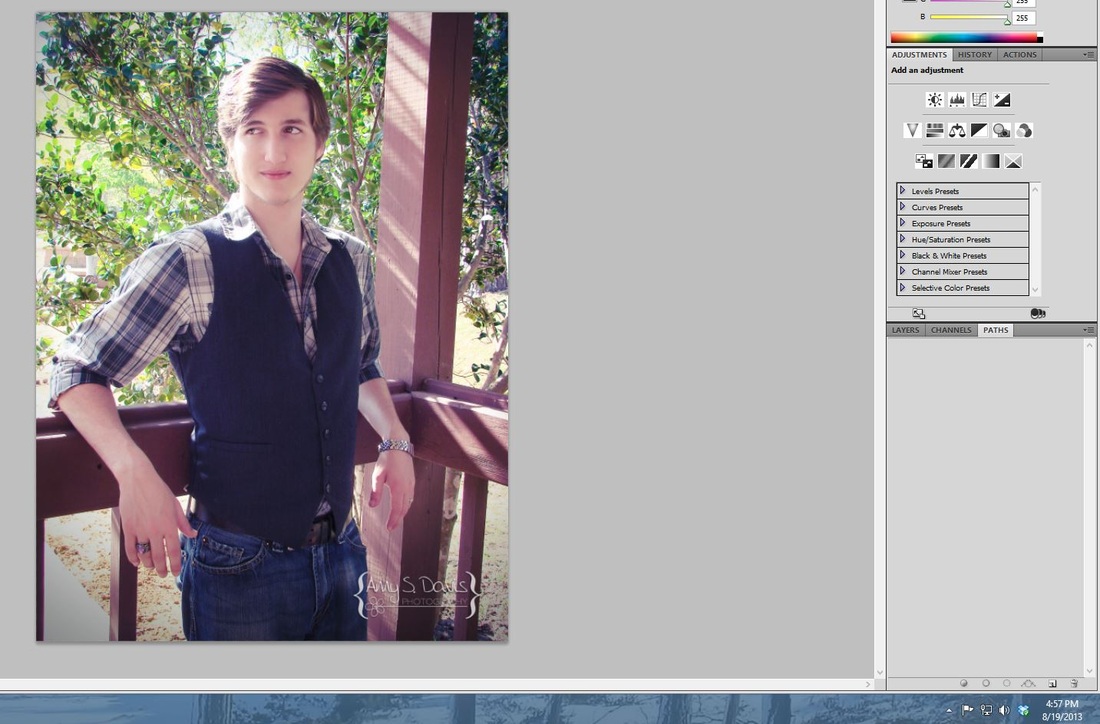
Picture
Now that image alone took nearly fifty minutes! Did you know that that is how much goes into an image?! 
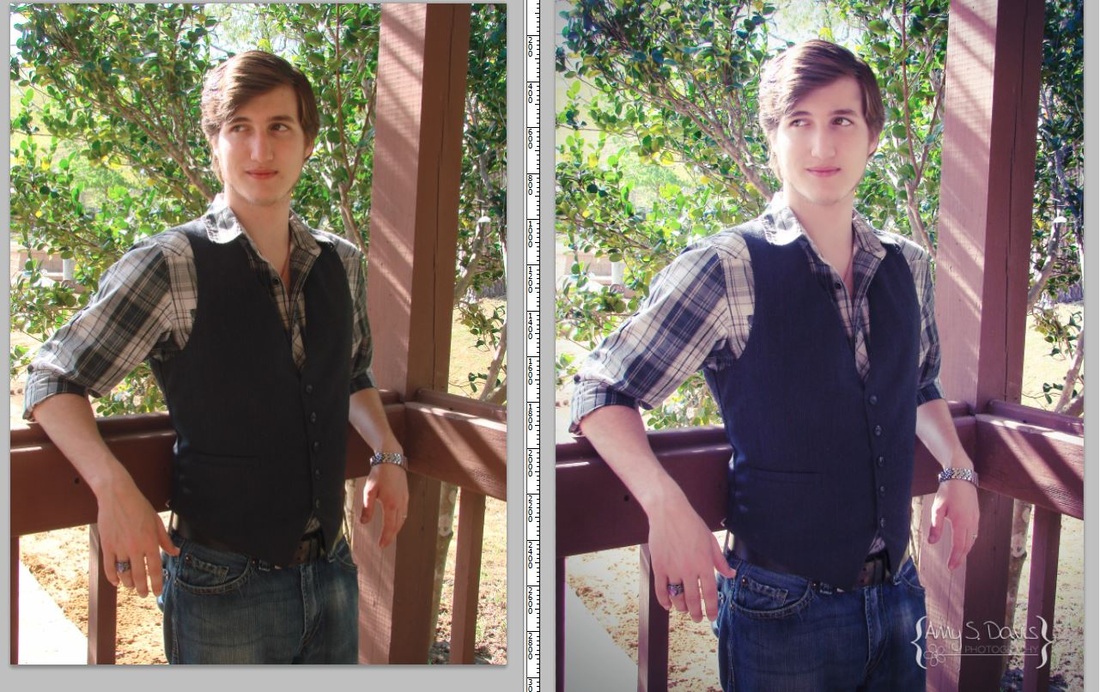
Picture
Next time you think, gosh that photographer is charging a lot of money for just one hour of pictures, think about how much work goes into those pictures behind-the-scenes. That was one image and many clients expect anywhere from 20 to 100! I'm not going to do the math but if I did a bridal session for $100 and gave that bride 40 images, can you imagine the amount I got paid per hour?! So do your photographer a favor, don't request her/him to go back and re-edit, un-crop, or change their final work. It took them a long time to get there, and it comes off as rude or unappreciative. 

Well, I hope this blog post, helps to explain a little of what I and other photographers do after they see you from behind the lens. I've enjoyed giving you a little behind-the-scenes look at my post-processing. 

-Amy
0 Comments

Celebration for a New Start!

8/14/2013

0 Comments

 
I am so excited to be revamping my website. I have given it a major overhaul and hope that it looks more modern and...well just plain awesome! I find myself at the end of the summer and a little disappointed. I didn't get to take pictures of as many people or things as I had planned this summer.

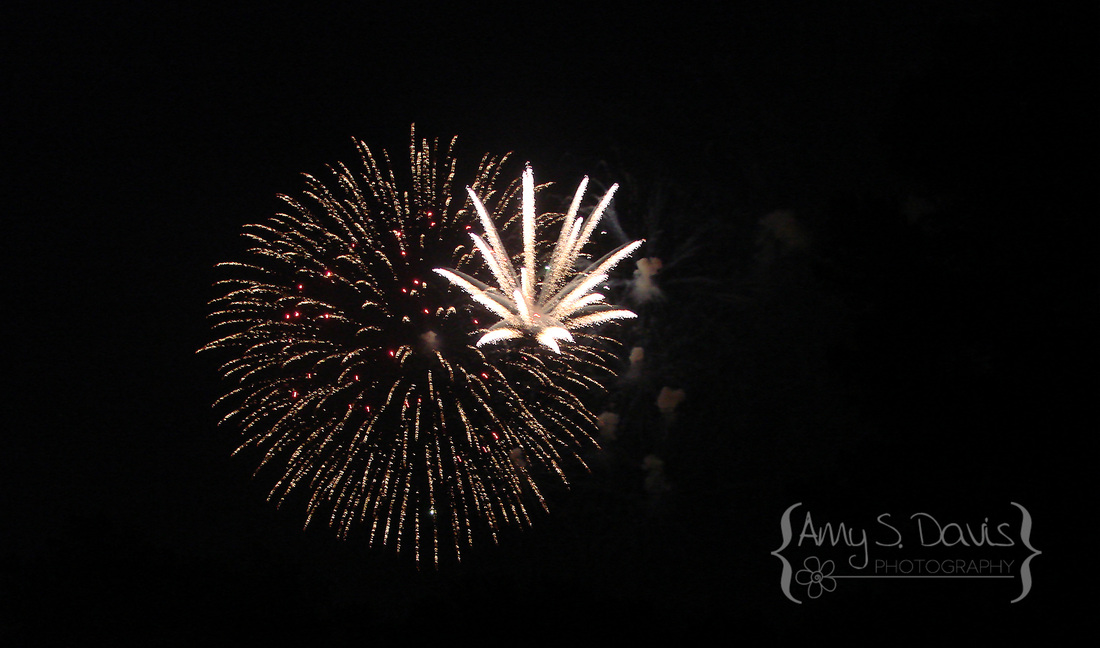
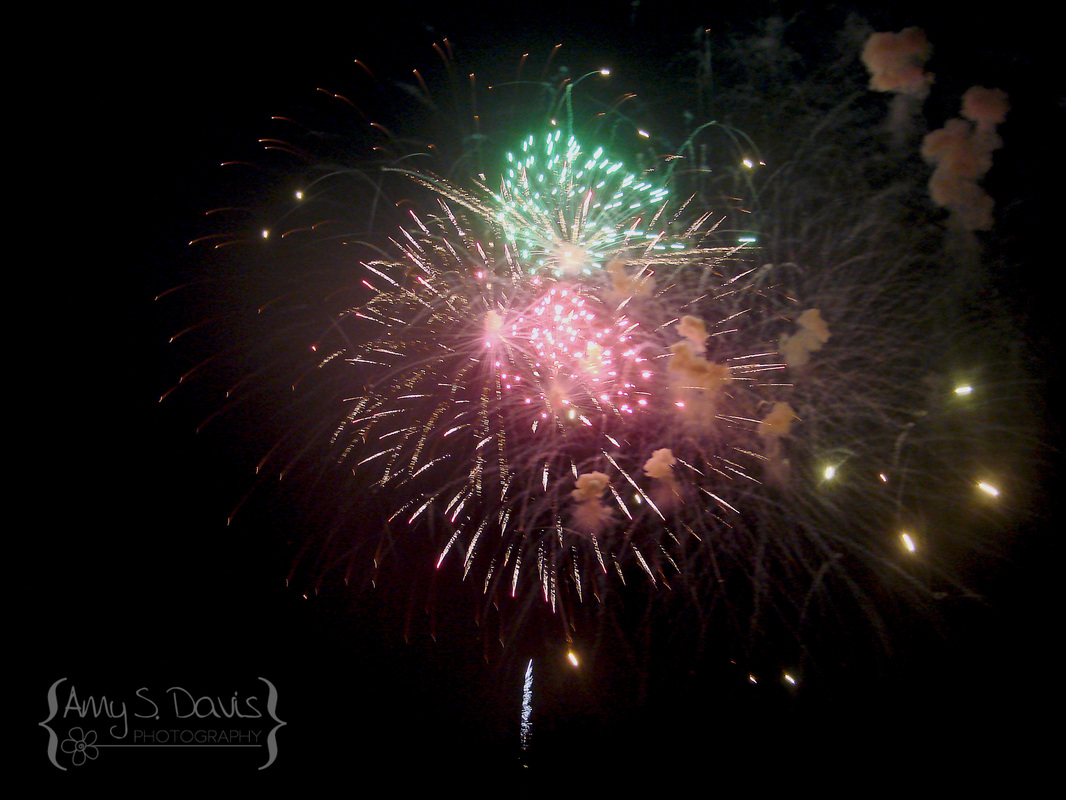
However, when the Fourth of July rolled around, I was eager to snap some pictures of the amazing fireworks show we always get to see here in my town. 
Picture
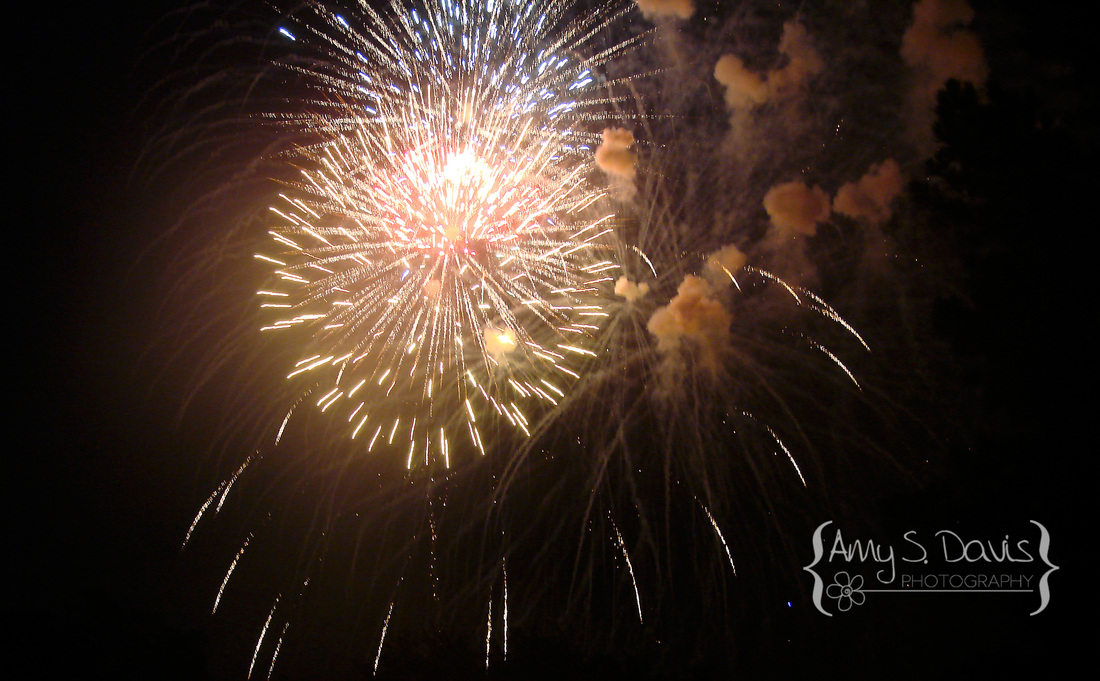
To be honest, I amazed myself at how clear the shots came out without me having to use a tri-pod, which sadly I don't have. After editing my images a little, I found that sharpening the images was all I even really needed to do to them. Of course, not all of the images came out as good as the ones shown here, but that is just part of learning to adjust your settings as you go. 
Picture
I had to play with the shutter speed and other settings before I could get them to come out clearly. It's a good thing the fireworks show was a long one. 
Picture
Oh! I almost forgot to mention... if you haven't already noticed, I've made another big change. I have redone my logo as well. I like this new one; it feels more like a logo and not just some name in a specific font. It took me a while to create it just how I wanted, but after playing around with it some, I finally got it how I like it. 
Anyway, I hope everyone has enjoyed their summer!

-Amy
0 Comments

Photographing Christmas Trees

12/10/2012

0 Comments

 
Picture
Getting the perfect picture of your christmas tree can be much harder than it looks! Never fear though! A great photographer, Elizabeth Halford has shown us how it's done! Interested? Check out her helpful tips here > http://www.elizabethhalford.com/photography-tutorials/photographing/how-to-photograph-your-christmas-tree-how-to-get-twinkle-bursts-of-light/


This was my attempt at her tips. Not quite as great as hers but a work in progress. 

Don't forget to check out the rest of my blog posts for other helpful hints!

0 Comments

Outdoor Couple Shoots

8/17/2012

0 Comments

 
Borrowed this wonderful article from Magdalena D Photography @ 
https://www.facebook.com/notes/magdalena-d-photography/photography-tip-of-the-day/399889316727554  and simply added in a few of my own bits of photography..just because reading is so much better with pictures!

Tips For Your Outdoor Couples Shoot


Indoor- well you can do whatever you want as long as you have the ultimate package...

but for engagement shoots, anniversary, or darn we need good pics done to send to Gradma here are some tips...

STYLE
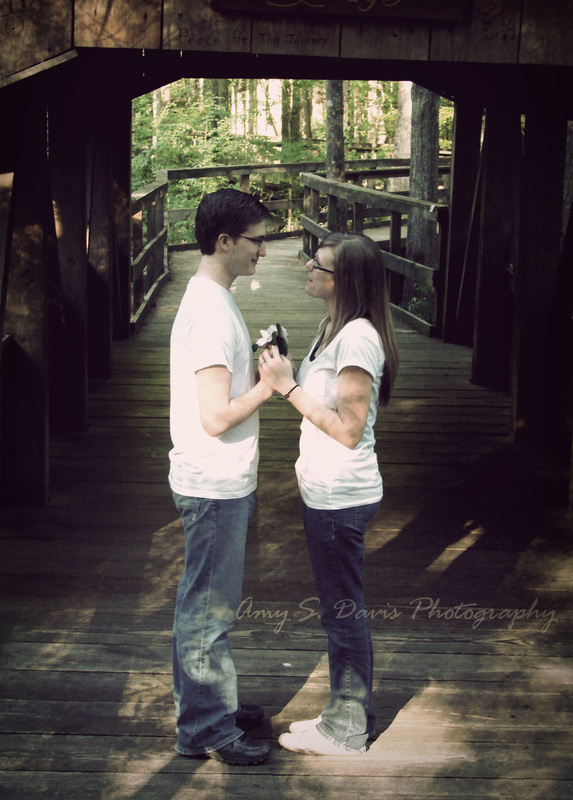
  • Color coordinate your outfits. Ok, for this one, don't be nerds and dress exactly the same. But keep in in the same family of colors. Blues, greys, blacks and whites go well. Browns, beige, white, and blues go well. Also a pop of color looks good on her. Something really pink, red or yellow as long as the rest is neutral. For more ideas look at magazines. Art directors get paid a lot of money to coordinate outfits on shoots. 

  • DO NOT WEAR BUSY PATTERNS! yes I am shouting this one. Keep it simple.
  • Wear something that you've tried and tested. I has to be comfortable, it has to fit, it has to boost your confidence. It shows in the picture.
Picture
SHOOT
  • Location. Where he proposed...sure! Where you met... sure! Around your neighborhood, your favourite park, coffee shop, store, restaurant. Commando style, my motto is better to ask for forgiveness than for permission.

  • Time. I encourage every couple to play hookie on a weekday to do this. Weekdays everything is less busy and less people staring. Choose a early morning (before eleven am) or a later evening (after five pm) the light is the most flattering. We should aim to spend a max of hour and a half. 

Picture
  • Makeup. I do not care how natural your everyday looks is. For this one put on some mascara, blush and gloss please! You hear me you chapstick women! Also for the glamour divas remember we are outside and its daylight, keep the vampy down. And for emphasis: MASCARA! For guys: brush your eyebrows, if you have dark eyes circles you can even wear a dab on concealer, your manhood will tolerate it. Be careful when you shave to avoid nicks and do wear lip balm for a smooth pout. For both: if you are prone to shine, keep those matting papers handy, specially in warmer weather.
  • Hair. Natural is best, hats... only if you really want to and you wear it every freaking day. Style your hair the day before, I love next day hair, it looks more natural and less done. Spray fly always. Oh and don't forget your manicure! Of course I have to take a picture of your ring.
Picture
POSING
We are aiming for natural and casual but have some things in consideration.

When kissing ( I will bark a: now kiss! often, you've been warned) church tongue. Just a bit. Do not squash your face against each other, keep it light and playful. Who ever has the best profile gets to have their nose on the camera side. This will make sense in the pictures, trust me.

Also a good one, leaning into each other, one person looking at the camera, the other smelling the temple. Sounds so weird but it works. Keep it touchy-feely, look into each other, remove strands of hair... all the corny stuff :) And the most important one smile ! smile tons!  

0 Comments

Photographing in the Rain

7/8/2012

0 Comments

 
Photographing in the Rain: How to get Great Photos While Protecting Your CameraPaul Cook found @ http://www.tocofi.com/how-to-photograph-in-the-rain/ 
Picture
Most photographers do not like taking pictures on a rainy day because of the problems that arise in their images and camera. Unaware to many of them is the breath-taking world that exists during the rain.

The rain provides photographers an opportunity to let their creativity run wild and capture some of the most stunning pictures. Many professionals consider photography in the rain to be a form of fine art photography as it requires skill and patience to capture remarkable images.
Picture
Picture
Photographing in the rain is very exciting. Photographers are able to capture shapes, shadows and colors that cannot be captured on a normal sunny day. For example, raindrops hitting the surface of an object, raindrops falling, rain falling onto petals and leaves, water droplets on grass, the different reflection and colors cast by wet objects. These are only some image ideas that you can undertake in your photo project when it’s raining.

Taking photos in the rain can be a bit tricky. Images can come out blurred if certain photography techniques are not used. To get great looking photographs in the rain, follow the tips mentioned below.

Adjust Shutter SpeedIn the rain, the DSLR camera’s shutter speed needs to be fairly increased in order to prevent the images from becoming blurry. Depending on the intensity of rain, the shutter speed should be at least 1/250 or higher.  Sometimes that can be hard to achieve and get a well exposed photo, but that is the fun of photographing in the rain.  Sometimes you get moody darker photos.  It really all depends on what you want to photograph.

ApertureSet the camera to use the aperture priority mode. Under this mode, the pictures will come out in more depth and with clearer light. Ideally, a wide camera aperture (f/4 or f/1.4) should be used when taking photos in the rain.

Macro ModeTurning on the macro mode on the DSLR camera is a great way to get interesting and captivating photos while it’s raining. This mode is ideal if close-up photographs are going to be taken. For example, taking a photo of a blade of grass with water droplets in macro mode will bring out sharper and clearer color. Make sure that the background is blurred out so that the viewer focuses on the object you captured.

When photographing in the rain, it is equally important to protect camera equipment as you would protect yourself. Camera equipment is very sensitive. Although a few droplets of water will not do any harm, prolonged exposure under the rain without any protection can damage the camera.

Below are a few tips that can help protect the camera when photographing in the rain.

Change Lenses under Shelter-
Changing the lens while under the rain can cause water to seep into the camera housing and cause damage. When the camera lens needs to be changed, look for shelter. This way, the camera is protected and you get a moment to dry your hair.

Wear a Raincoat-
Place the camera under your raincoat whenever you are moving around to find a photo location or if the camera is not in use.

Waterproof Casing-
If you plan on taking photographs in the rain, purchasing waterproof housing for the camera is essential. The housing will stop any water from seeping into the camera. It will also help to somewhat improve picture quality as the lens will be under the casing. A simple wipe to the lens area of the casing with a dry cloth will help bring out clearer images.

Lens Shade-
Typically a Lens shade is used to prevent glare and sunlight from affecting image quality. These shades can also be used to keep rain off the camera lens so that you can capture blur-free pictures in the rain.

Digital photography in the rain maybe a little tricky but the quality and creativity of the images are well worth the trouble.

http://www.thephotoargus.com/tips/great-tips-for-shooting-in-the-rain/

http://electronics.howstuffworks.com/how-to-capture-rain-in-photography2.htm

http://www.cambridgeincolour.com/tutorials/camera-exposure.htm

0 Comments
    Picture

    Author

    So I'm Amy! I am a elementary and jr. high teacher who also happens to LOVE photography! 

    Archives

    February 2015
    January 2014
    September 2013
    August 2013
    May 2013
    December 2012
    November 2012
    August 2012
    July 2012
    June 2012
    May 2012
    February 2012
    January 2012

    Categories

    All
    Angles
    Autumn
    Backdrops
    Camera Settings
    Candid
    Christmas
    Clients
    Clothes
    Encouragement
    Equipment
    Family
    Food
    For Photographers
    Funny
    Group Shots
    Holiday
    How To
    Lens
    Lighting
    Location
    Other Blogs
    Outfits
    Photographer
    Props
    Spring
    Subject
    Tips
    Wedding

    RSS Feed

Powered by Create your own unique website with customizable templates.